Workflows
Write a task brief you can check at the end
Turn “make a summary” into a short assignment with evidence, boundaries and a condition for stopping.
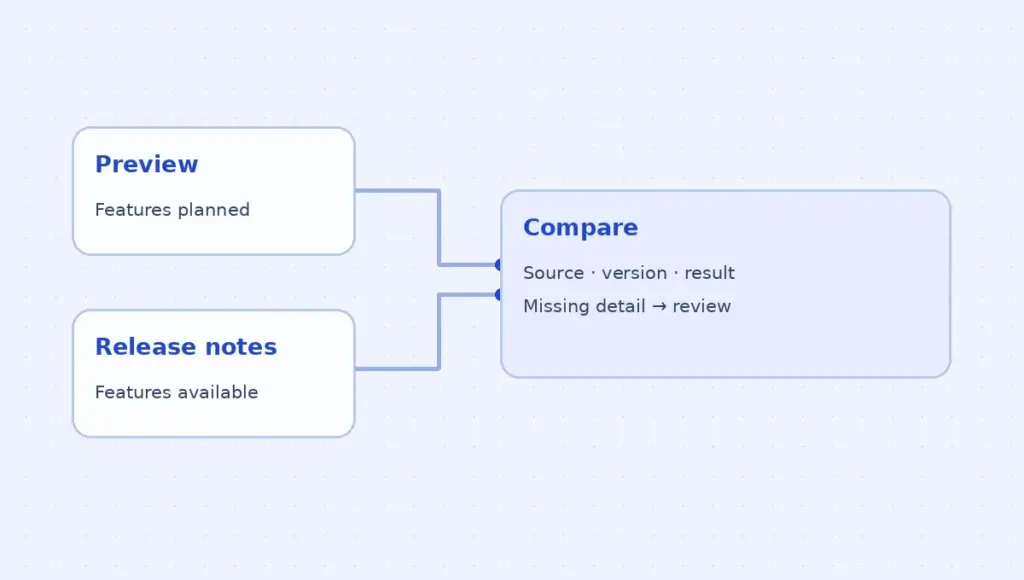
“Summarise the release” sounds like a clear assignment until two documents disagree. One may describe a feature as planned while another says it is available. The assistant needs to know which question to answer and which edition of each document to consult. Give it a task brief that you can read again as an acceptance check.
Start with a small decision
In a fictional product team, a writer needs to choose what to include in a release note. A usable request would ask for the changes between a dated preview and approved release notes. List the two documents and name the relevant release version. Ask for three fields per proposed change: the change itself, the section where it is stated and whether the two documents agree.
Give the brief a stop condition. In this example the assistant should mark a feature as unresolved if the approved notes are silent. It can return useful work while keeping that row available for a person to decide. Ask it to prepare a comparison that the writer can read before editing the release note.
Check the brief with an awkward example
Try two test pairs. In the first, the preview and approved notes agree. In the second, they use the same feature name while discussing different releases. If both answers look identical, the acceptance criteria are too vague or the workflow neglected a version. Add the relevant field and try again with the same two pairs.
The NIST AI RMF Core identifies definition of supported tasks and planned oversight as part of mapping and governing AI use. A task brief is a small way to put those questions in front of everyone who reads the result. Keep the version, the permitted sources and the point where a person should intervene beside the assignment.